
Digital Declutter for Your Finances: A Step-by-Step Plan

Digitally declutter your finances: organize accounts and bills, cut subscriptions, automate savings and turn the freed-up cash into an emergency fund.
Digital Declutter for Your Finances: A Step-by-Step Plan
A digital declutter of your finances means cleaning up the accounts, subscriptions, bills, statements and money habits that live on your phone and in your inbox, so you can see where your money goes and redirect it. Done well, it is not an organizing project for its own sake. It is the first week of a reset: you find the leaks, shut them, and send the savings somewhere they cannot be spent. That is how we built our 30-Day Zero-Spend Reset Challenge Workbook, and it is the order of the plan below.
TL;DR
- Start by listing every account, bill and recurring charge in one place, with due dates, before you cancel or automate anything.
- Cut one major recurring expense first. It is the fastest way to free money, according to the CFPB.
- Automate carefully: use alerts and a bill calendar, and keep auto-pay for bills you can always cover.
- Move every dollar you free up into a savings account the same day, starting with a $500 emergency goal.
- Treat impulse and emotional spending as a design problem: remove the triggers instead of relying on willpower.
Table of Contents
- What a financial declutter really covers
- Step 1: Build one master list
- Step 2: Audit subscriptions and cut the biggest first
- Step 3: Organize your records so you can find them
- Step 4: Control due dates and automate with care
- Step 5: Send the freed-up money somewhere safe
- Step 6: Deal with the feelings behind the spending
- A 7-day starter schedule
- Where the workbook fits
- Our perspective
- FAQ
- Sources
What a financial declutter really covers
Most articles on this topic stop at "go paperless and close old accounts." That is useful, but it only tidies. If you are stuck in debt, watching subscriptions pile up or spending on bad days, you need the tidy-up to produce cash.
So think of the declutter in four layers:
- Accounts and records: where your money and paperwork live.
- Recurring charges: subscriptions, memberships, and bills that renew without you.
- Triggers: the apps, emails and habits that push you to spend.
- Destination: where the money you free up goes.
The CFPB's Your Money, Your Goals toolkit covers a similar ground: setting goals, saving (including making it automatic), tracking income, paying bills with a spending tracker and bill calendar, and protecting yourself from identity theft and fraud. Notice that goals come first. Without a goal for the freed money, a declutter just makes a cleaner version of the same leaky budget.
Step 1: Build one master list
Set aside an hour. Open your bank and credit card statements for the last two or three months, plus your email search for words like "receipt," "renewal" and "your subscription." Write down, in one document or sheet:
- Every account (checking, savings, cards, loans, retirement)
- Every bill and its due date
- Every recurring charge, including annual ones
- Any account you have not logged into in months
This is the step where people discover what they were paying for. The CFPB notes that consumers typically receive 7 to 10 bills a month, arriving on different days and in changing amounts. That is a lot of moving parts for memory alone.
If you do not want to build the sheet from scratch, our workbook includes printable trackers and budget templates, and the companion webapp gives you a private place to keep the numbers.
A tip on categories: if you are not sure how to label spending, our spending categories list gives you a ready set to sort each charge into.
Step 2: Audit subscriptions and cut the biggest first
The CFPB says there are only two ways to find money to save: spend less or earn more. Its easiest suggestion for spending less is cutting one major expense, such as dropping a service or membership you do not use or downgrading a premium package to a basic one.
Run each recurring charge through three questions:
- Did I use it in the last 30 days? If not, cancel it.
- Would I sign up for it again at today's price? If not, cancel or downgrade.
- Is it a duplicate? Two streaming services, two cloud storage plans and two music apps are common overlaps.
Write down the monthly cost of each cancellation and multiply by twelve. Seeing a yearly number makes the cut easier to keep. For ideas on what else to review, see our list of expenses to cut.
Cancel in the same session, not later. "I'll do it this weekend" is how subscription creep survives.
Quiet the inbox that sells to you
Promotional emails are a spending trigger. A 20%-off message arrives, and a purchase you never planned follows. Unsubscribing from marketing emails removes the prompt before it works. Our guide on how to unsubscribe from marketing emails walks through it, and the same logic applies to shopping apps, saved cards and push notifications. If scrolling leads to buying, read our piece on how to stop doomscroll shopping.
Step 3: Organize your records so you can find them
A tidy record system saves you from late fees, lost tax paperwork and stress when something goes wrong. Rutgers' extension service (Rutgers NJAES) recommends a bill-payment calendar that shows every bill and due date on one sheet, along with labeled digital and physical folders for taxes, bank statements, insurance, investments, receipts and bills. It also advises storing digital copies on a password-protected computer, an external hard drive or an encrypted cloud service, and keeping folders on more than one device or in a secure cloud drive.
A simple folder layout works for most households:
| Folder | What goes in it | |---|---| | Taxes | Returns, W-2s, 1099s, deduction receipts | | Banking | Monthly statements, account agreements | | Insurance | Policies, claim records | | Debt | Loan terms, payoff letters, statements | | Receipts | Large purchases, warranties, returns | | Identity | Copies of key documents, kept encrypted |
If you earn side income or work for yourself, receipts matter even more. A job-based receipt system shows how organizing by project instead of by date makes records easy to find at tax time.
Paper statements can go, but keep what you need. Switch to e-statements, then download and file the last year of each account before you close anything.
Step 4: Control due dates and automate with care
Missed bills usually come down to timing, not carelessness. In a CFPB webinar, 50% of participants said bills coming due before they got paid was an important reason they fell behind, and 40% said their pay timing did not line up with their bills. The CFPB's testing of a due-date alignment tool with 229 consumers found that most had never tried changing a billing date because they did not know they could. Utility and phone bills were the most common ones people moved.
So call or log in and ask each biller to move the due date to a few days after payday. Then:
- Put all dates on one calendar.
- Turn on balance alerts and low-balance warnings. The CFPB advises signing up for email or text alerts and checking whether a deposit is on hold before paying bills.
- Use auto-pay for fixed bills you can always cover, such as rent or a loan payment.
- Pay variable bills manually, or set a reminder a few days before.
That split matters. The CFPB notes automatic payments can be efficient over the long run, but for people who are sometimes short on cash, the loss of control can outweigh the benefit.
The cost of a mistake is real. The same CFPB guide says overdraft fees are charged per item and are often $35 or more per transaction, and that a bank cannot charge a debit-card overdraft fee unless you have opted in. Late payments carry their own penalties, so it helps to see how invoice late fees work and why due-date tracking pays for itself.
On tools: the FDIC points to online bill-pay, automatic transfers and money-management software that summarizes your balances and helps you spot fraud, and it advises sticking with a known, trusted provider. Before you link any account to an app, check who runs it.
Step 5: Send the freed-up money somewhere safe
This is the step most declutter guides skip, and it decides whether the effort pays off. The CFPB tells readers to turn "money not spent" into real savings by moving it into a savings account, because without a place to set it aside it is easy to spend.
Make it automatic. The FDIC gives an example: a transfer of $20 every two weeks adds up to $520 plus interest in a year. Your own number will be higher if you cancelled a few subscriptions.
If you are building an emergency fund
Start small. The CFPB suggests a first goal of $500, enough for many car repairs or minor medical costs, then $1,000, which may cover a month's rent or a major repair. California's financial regulator reports that the FDIC recommends an eventual cushion of at least six months of living expenses to avoid high-interest debt in a crisis.

If you are paying down debt
Decluttering helps debt in two ways: it finds extra dollars, and it keeps due dates from slipping. Send the freed cash to your highest-interest balance after you have made every minimum payment, and keep a small starter cushion so one surprise does not go on a card. Paying only minimums keeps balances alive for years, which our article on the minimum payment trap explains with numbers. If your debt is overwhelming, a nonprofit credit counselor or your lender's hardship program is the right professional to talk to about a formal plan.
A common guideline from the CFPB, as relayed by California's DFPI, is the 50/30/20 rule: about 50% of income to needs, 30% to wants and 20% to savings and debt repayment. Treat it as a starting frame, not a verdict. If your needs already take more than half, your declutter will show you where to trim first.
Step 6: Deal with the feelings behind the spending
You can organize every account and still overspend on a rough Thursday. The CFPB's toolkit notes that attitudes toward money are tied up with feelings of security, failure, family, love and status, and that people who feel upset or rattled about money tend to swing too far in one direction or another. That swing is why strict budgets collapse after a week.
Three changes work better than willpower:
- Add friction. Delete saved cards and shopping apps so buying takes effort.
- Add a pause. Put wanted items on a list and wait 48 hours before buying.
- Name the feeling. Before a purchase, ask whether you are buying the item or relief from stress or boredom.
Parents trying to lower grocery bills can apply the same thinking to the store: a plan and a list cut the number of in-the-moment decisions. Our guide to grocery shopping with kids during a no-spend month shows how.
If you want a budget method that does not rely on constant tracking, see our simple budget method and our guide to zero-based budgeting with digital banking.
A 7-day starter schedule
| Day | Task | Time | |---|---|---| | 1 | Build the master list of accounts, bills and recurring charges | 60 min | | 2 | Cancel or downgrade the biggest unused subscription, then the rest | 45 min | | 3 | Unsubscribe from marketing emails, remove saved cards | 30 min | | 4 | Move due dates and put them on one calendar | 45 min | | 5 | Set up alerts, e-statements and folders | 45 min | | 6 | Open or label a savings account for your emergency goal | 20 min | | 7 | Set an automatic transfer equal to what you freed up | 15 min |
The times are our rough guide, and they will vary with how many accounts you have.
Where the workbook fits
A declutter gets you through the first week. The harder part is month two, when old habits come back. Our 30-Day Zero-Spend Reset Challenge Workbook turns the steps above into daily challenges, with printable trackers, budget templates, subscription audits, meal planning guides and social scripts for money conversations. The companion webapp keeps your numbers private. Our users have reported saving an average of $847 per month.
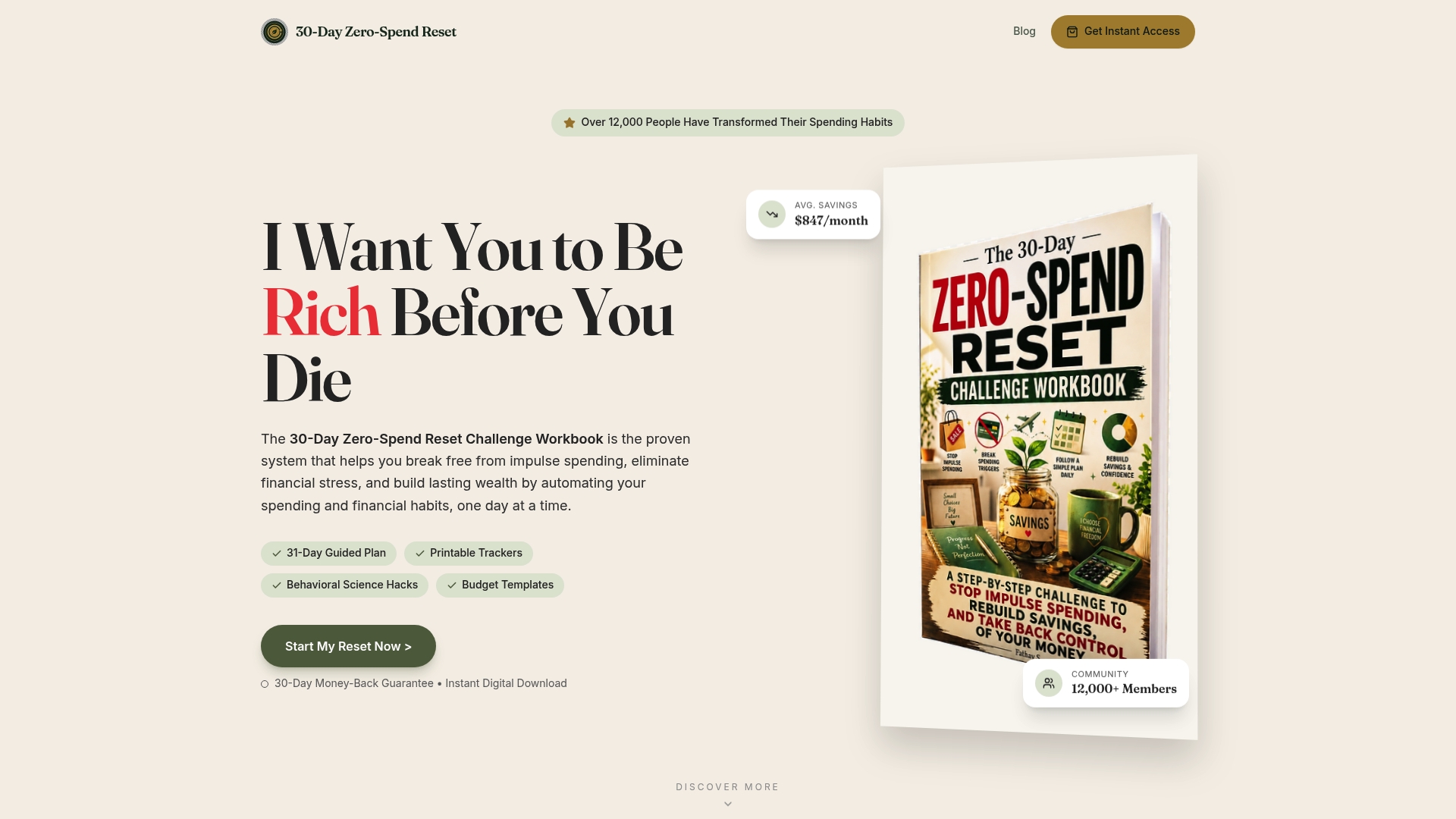
If you want to go further, the Zero-Spend Accelerator Vault adds extra resources to the reset.
Our perspective
Most people do not have an information problem with money. They know subscriptions add up and that savings matter. What they lack is a system that works on a stressful day.
That is why we built the reset around behavior, not guilt. A declutter works because it changes the setup: fewer charges to track, fewer prompts to buy, and a savings destination waiting for every dollar you free. A daily structure then keeps the change in place long enough to become routine.
We designed the workbook so that you do not need to rely on willpower. Each day gives you one small, specific action, and by the end of 30 days you have a clean set of accounts, a lower monthly baseline and the start of an emergency fund.
Omar
FAQ
How long does it take to declutter my finances digitally?
The first pass, covering your master list, subscription cuts, alerts and one savings transfer, fits into about a week of short sessions. Records and folders take longer if you have years of paperwork. Do the money-moving steps first and the filing second.
What should I review first?
Start with recurring charges and due dates, because they affect your cash every month. Records and old accounts can wait until you have stopped the leaks. Cancel the largest unused subscription before anything else.
Should I put all my bills on auto-pay?
Use auto-pay for fixed bills you can always cover. The CFPB notes that for people who are sometimes short on cash, automatic payments can reduce control. Variable bills are safer with a calendar reminder and balance alerts.
How much should my first emergency fund be?
The CFPB suggests starting with $500 and then building to $1,000. Over time, the FDIC recommends at least six months of living expenses, as reported by California's DFPI. Automatic transfers after each payday make the habit stick.
Sources
- CFPB: Your Money, Your Goals financial empowerment toolkit (2020)
- CFPB: Your Money, Your Goals toolkit for social services (2015)
- Rutgers NJAES: Small Steps to Organize Your Finances
- FDIC: Save, Organize, and Streamline Your Finances
- CFPB: Managing your checking account
- CFPB: Managing cash flow and bill payments
- CFPB Financial Education Exchange webinar on paying bills (2018)
- CFPB: Consumer Insights on Paying Bills (2018)
- California DFPI: 6-Step Financial Plan for 2026
Recommended
Ready to reset your spending?
Get the 30-Day Zero-Spend Reset Workbook and turn these ideas into a daily action plan.
Start the 30-Day ResetThis article is part of the 30-Day Zero-Spend Reset method. Explore the complete day-by-day system behind these ideas.
Read the full guideKeep reading

Join the conversation
Be the first to share your thoughts on this article.