
Buy Nothing Groups 101: How to Join, Give and Get Free

How Buy Nothing groups work, how to join one near you, what to post and what the rules are, plus how to turn free swaps into real savings.
Buy Nothing Groups 101: How to Join, Give and Get Free
A Buy Nothing group is a hyper-local network where neighbors give things away and ask for things they need, with no money, trades or bartering involved. You join one group for your area, post what you want to give or ask for, and hand items over in person. For anyone trying to cut spending, it is one of the cheapest ways to stop buying things new. It works best when it sits inside a plan, because free stuff only saves money when it replaces a purchase you would have made.
This guide covers how the groups work, how to join, what to post, the rules that keep you in good standing, and how to use them to cut your own spending.
TL;DR
- Buy Nothing is a gift economy: you give, ask, and say thanks. No buying, selling, trades or cash requests are allowed.
- You can join through a local Facebook group or the Buy Nothing app, and you join only one local group at a time.
- Almost anything goes, from furniture and leftovers to favors and skills, as long as it is legal and civil.
- Protect your privacy: an exact address is not a Buy Nothing requirement for joining.
- Free items save money only when they replace something you would have bought. Pair the groups with a spending plan.
Table of Contents
- What a Buy Nothing group is
- The three kinds of posts
- How to find and join a group
- What you can give, ask for and borrow
- How a handoff works
- The rules that keep you in the group
- Privacy and safety when meeting neighbors
- Turning free items into real savings
- Where Buy Nothing fits in a spending reset
- Start your reset with a plan
- Our perspective
- FAQ
- Sources
What a Buy Nothing group is
The Buy Nothing Project describes itself in its Community Guidelines as an international network of local gift economies. People give and receive, share, lend and express gratitude, and the project says the real wealth is the web of connections between neighbors who actually live near each other.
Two things set it apart from a classifieds site or a garage-sale page. First, nothing is exchanged for value. The official group description says it plainly: no buying or selling, no trades or bartering, no soliciting for cash. Second, it is not a charity or a community bulletin board. It is an adult-only group of neighbors giving to each other, and every gift counts the same regardless of its monetary value.
That last point matters more than it sounds. Nobody in the group is a "giver" and someone else a "receiver" permanently. The person who gives you a stroller this month may ask for a ladder next month, and you may be the one who has it.
The three kinds of posts
Everything in a group fits one of three post types, according to the Community Guidelines:
| Post type | What it means | Example | |---|---|---| | Give | Offer something freely, to give away, share or loan | A box of kids' winter coats outgrown this season | | Ask | Request something to receive for free or borrow | A slow cooker for one week of meal prep | | Gratitude | Thank a neighbor and show what the gift did for you | A photo of the bookshelf now in your hallway |
Gratitude posts are easy to skip, but they are what keeps a group generous. They show members that gifts land with real people.
How to find and join a group
There are two routes, and the Buy Nothing Help Center describes both.
Option 1: the Buy Nothing app
Download the app for iOS or Android. According to the Quick Start Guide, you must be 18 or older, and you can sign up with an email or a Google, Facebook or Apple account. The app uses your location to show posts from your nearest neighbors while keeping your exact address private, and you choose a viewing radius, such as under one mile or under six miles.
Standard Membership is always free and lets you give, ask and share gratitude right away. An optional paid Sustaining Membership supports app development and adds features like private communities and expanded radii. You do not need it to get started.
The app needs no local volunteer. The Help Center explains that a local gift economy forms as more people nearby join, which is useful if your area has no Facebook group.

Option 2: a local Facebook group
Create a Buy Nothing account on the project's website, open Settings and choose the Registered Groups list to find official groups by location. You can also search Facebook for "Buy Nothing" plus your neighborhood, town or city. Click Join Group and answer the short questions that confirm you live within the group's boundaries. Join one local group only.

Facebook groups run on local volunteers. They exist only because someone in your community stepped up to start one and administer it.
What you can give, ask for and borrow
The range is wider than most newcomers expect. The Community Guidelines list brand new and used items, working and broken items, food including leftovers, recipes, reading suggestions, event tickets, and invitations to a game night or book group. You can request or offer anything you might otherwise buy. Gifts of yourself count too: skills, services and help.
For a household budget, these categories tend to pay off most:
- Kids' gear and clothes. Children outgrow things fast, which makes them a steady source of supply.
- Kitchen items and pantry extras. A neighbor clearing a cupboard before a move is a common source of free staples.
- Tools and equipment you need once. Ask to borrow instead of buying a drill or a canning pot.
- Furniture and household basics. Large items are often claimed fast, so turn notifications on.
- Help. A ride, an hour of tutoring, or a hand with a move can replace a paid service.
How a handoff works
The process is simple, and the Quick Start Guide lays it out. On a Give post, tap "I'm Interested" and comment. On an Ask post, tap "Fulfill this Ask" if you can help. Keep notifications on so you see who responds to your own post. Message the other person directly to arrange the handoff, and mark the post as fulfilled once the item has changed hands.
A few habits make it smoother:
- Be specific. Say what you need and roughly when, and give honest condition details when you give.
- Reply fast. Gifts are often gone within hours.
- Pick a porch pickup spot. Many givers leave items outside so no one has to coordinate a time.
- Say thanks. A gratitude post closes the loop and builds goodwill.
The rules that keep you in the group
The Community Guidelines are short. The ones that trip up newcomers:
- Keep it legal and civil. Nothing illegal can be offered or requested, and local, regional and national laws apply.
- Use a personal account, not a business one. Groups are for neighbors, not storefronts.
- Do not steal, and say so if you intend to resell something you ask for.
- Do not pile onto someone else's Ask, and do not pressure people through private messages.
- Do not recruit for religions, political parties, businesses or other organizations. Items that endorse or oppose a current party, candidate or ballot option are also off limits, though supplies for social movements and events are allowed.
Because there is no cash, you also cannot ask for a "small thank-you fee" or post an item as "free with a pickup donation." Posts that do that get removed.
Privacy and safety when meeting neighbors
You are inviting people to your porch or heading to theirs, so a few precautions are sensible. Share only what the handoff needs. The Help Center states that requiring an exact address, cross streets or other personal details to join a group is not a Buy Nothing requirement and is not condoned. If a Facebook group demands them, you can report it for review, or use the app, which has no admin gatekeepers asking for location details and lets you control your own sharing radius.
For handoffs themselves, use a porch pickup when you can, meet in a public spot for smaller items, and bring a friend for larger ones. Never feel pressured to hand over your address because someone messages you repeatedly. The guidelines themselves prohibit pressure through private messages.
Turning free items into real savings
Here is the part most Buy Nothing guides skip. A free item only saves money if it replaces a purchase. If you pick up a free blender you did not need, you have saved nothing and added clutter. Free is also a powerful trigger for impulse spending: it feels like permission to grab, and the gift economy can slide into a different kind of shopping.
A simple filter keeps the groups working for your budget:
- Keep a needs list. Before you scroll, write down what you would otherwise buy this month: a school-project supply, a set of dishes, a baby gate.
- Ask before you buy. When something on that list comes up, post an Ask first. Then you can decide whether to buy if no one replies.
- Give before you declutter-shop. Giving away what you no longer use frees space and cash you would otherwise spend replacing things.
- Track the savings. Note the retail price of what you received and move that amount into a savings account or toward a debt balance.
That last step is the one that matters if you are paying down debt or building an emergency fund. A neighbor's free winter coat saves you $60 only when the $60 actually goes somewhere. If the money stays in checking, it usually disappears into the next unplanned purchase. Our guide on the minimum payment trap shows why redirecting even small amounts to a balance matters over time.
For parents, free kids' clothes and borrowed gear lighten the load, and our piece on grocery shopping with kids during a no-spend month shows how to cut the food side too. Another idea: if you are working out where your money goes, a list of spending categories makes it easier to spot what a Buy Nothing group could replace.
When you are clearing out a home
Giving also helps when you are shrinking your household, whether after a move, a loss or a decision to simplify. If you are weighing downsizing your home, a Buy Nothing group is a fast way to pass on furniture and household goods to neighbors who need them, without the work of listing and haggling.
Where Buy Nothing fits in a spending reset
Buy Nothing groups solve the "I need this thing" half of overspending. They do nothing about the other half: subscriptions that renew in the background, delivery apps that fire when you are tired, and purchases made to feel better. Those need a system, not a neighborhood.
The two work well together. During a 30-day no-spend stretch, the group becomes your first stop for any real need, which makes the month easier to finish. Our posts on expenses to cut and spending rules help you decide which needs are real before you post.
Start your reset with a plan
If you want a structured way to stop impulse buying, our 30-Day Zero-Spend Reset Challenge Workbook gives you daily behavioral challenges, printable trackers, budget templates, subscription audits and meal planning guides, plus a companion webapp. It is built for people dealing with impulse spending, subscription creep, emotional spending and debt, and it pairs naturally with a Buy Nothing group as your free source for real needs.
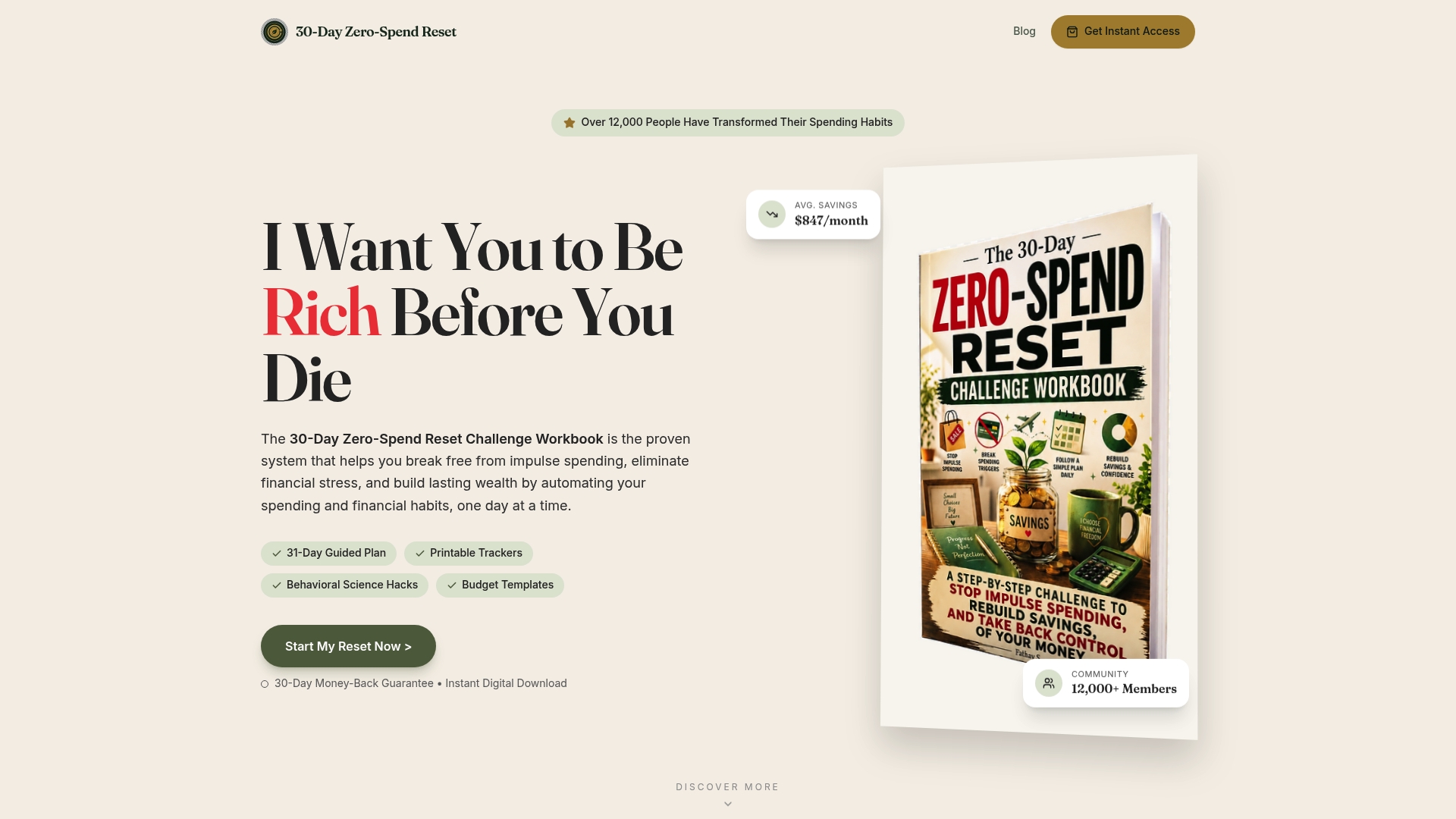
You can see the 30-Day Zero-Spend Reset Challenge Workbook or browse the Zero-Spend Accelerator Vault for the extra tools.
Our perspective
Free is not the same as costless. We built the 30-Day Zero-Spend Reset around a simple observation from behavioral psychology: spending is mostly a habit and an emotion, and willpower is a poor tool against either.
A Buy Nothing group is a wonderful resource, and we recommend it. It gives you a real alternative to the checkout button at the moment a need appears. But it works best when you have already decided what you actually need, and when the money you did not spend goes somewhere on purpose: toward a debt, toward an emergency fund, toward the month ahead.
That is what our workbook does day by day. It replaces vague intentions with a daily challenge, a tracker, and a script for the awkward money conversations that often come with changing your habits. Our users report saving an average of $847 per month, and we designed the program so those savings stick without guilt or deprivation.
Use the group for what you need. Use a plan for how you spend. Together they turn a no-spend month into a lasting change.
Omar
FAQ
Who owns the Buy Nothing Project, and who runs my local group?
The Buy Nothing Project is the organization behind the Facebook groups and the app. Your local Facebook group is run by volunteer admins from your area. When a volunteer starts a group, the project's volunteer team creates it, sets up the screening questions, rules and banner, and lists it among the official groups.
Can I sell something or ask for cash in a Buy Nothing group?
No. Buying, selling, trading, bartering and asking for cash are all outside the rules. Every post has to be a true gift, a loan or a request for one.
Do I have to pay to use the Buy Nothing app?
No. Standard Membership is always free and includes giving, asking and sharing gratitude. The optional Sustaining Membership is a paid subscription that adds features such as private communities and bigger viewing radii.
What if there is no Buy Nothing group near me?
Use the app. It needs no local volunteer, and a local gift economy forms as more neighbors join. You set your own sharing radius, so you can start receiving and posting right away.
Can I join more than one group?
The Help Center says to join only one local group at a time. That keeps each group truly hyper-local, which makes pickups easier and the community stronger.
Sources
- Buy Nothing Project Community Guidelines
- Buy Nothing Project Quick Start Guide
- Buy Nothing Private Group Description
- How do I find my local Buy Nothing Facebook Group?
- How do I join a Buy Nothing group?
- There's no Buy Nothing group in my area, can one be built?
- A Buy Nothing Facebook group is requiring my address or cross streets
- Start a Buy Nothing Private Group
Recommended
Ready to reset your spending?
Get the 30-Day Zero-Spend Reset Workbook and turn these ideas into a daily action plan.
Start the 30-Day ResetThis article is part of the 30-Day Zero-Spend Reset method. Explore the complete day-by-day system behind these ideas.
Read the full guideKeep reading

Join the conversation
Be the first to share your thoughts on this article.