
Bank Alerts for Spending: Which to Turn On and How

Set up bank alerts for spending that catch impulse buys, subscriptions and overdrafts. Learn which ones matter, how fast they arrive and how to spot fake texts.
Bank Alerts for Spending: Which to Turn On and How
The most useful bank alerts for spending are a transaction alert for every card purchase (or every purchase over a small amount you choose), a low-balance alert, a large-purchase alert and a bill-due reminder. You turn them on in your bank's app or website under alert settings, usually in a few minutes. They work best when they are tied to a spending limit you already decided on, because an alert only tells you what happened. It does not tell you what to do.
This guide covers which alerts are worth the buzz, how to set them up, how fast they arrive, whether they cost anything, and how to tell a real alert from a scam text.
TL;DR
- Start with four alerts: every card purchase (or purchases over a small threshold), low balance, large purchase, and upcoming bill.
- Alerts are usually free from your bank, but your mobile carrier's message and data rates may apply.
- Many alerts fire when a purchase is authorized, not when it posts, so they can reach you within minutes.
- Never reply to an alert text with a password, PIN or one-time code. Call the number on the back of your card instead.
- Pair every alert with a number you chose in advance, such as a weekly grocery limit, so the alert triggers a decision.
Table of Contents
- Which bank alerts are worth turning on
- A starter set of alerts, and the number to attach to each
- How to set up spending alerts
- How fast do alerts arrive?
- Do banks charge for text alerts?
- How alerts help with impulse buying, subscriptions and groceries
- Using alerts to pay down debt and build an emergency fund
- Real alert or scam? How to tell
- How to change or stop alerts safely
- Our view: alerts show you what happened, a plan changes what happens next
- Put the alerts inside a 30-day plan
- A one-week alert routine
- FAQ
- Sources
Which bank alerts are worth turning on
Banks offer dozens of alerts. Most people need only a handful. Citi, for example, lists six essential alerts: low balance, payment reminder, direct deposit, unusual or suspicious activity, transaction-exceeds-budget, and personal-information-changed. Other banks and credit unions publish similar lists, with a few extras such as foreign transaction and fee-charged alerts.
Sorted by the job they do for your spending, the useful ones fall into four groups.
Alerts that show every purchase
A transaction alert tells you each time your card is used. Chase says its transaction alerts can be set for every purchase or only for purchases over an amount, such as $20, which helps with tracking spending, spotting fraud and monitoring authorized users.
If you struggle with impulse buying, the every-purchase setting does something a monthly statement cannot: it puts a small, immediate mark on each purchase. Seeing ten buzzes in a day is information. If alerts at every purchase feel like too much, start with a $20 or $25 threshold and lower it later.
Alerts that protect your balance
A low-balance alert warns you before you spend money you do not have. The Consumer Financial Protection Bureau (CFPB) advises signing up for transaction alerts and low-balance warnings by email or text to keep track of your balance, and notes that overdraft fees are generally charged per item and are often as high as $35 or more per transaction. A few missed warnings can cost more than a month of groceries for a small household.
The CFPB's fee-avoidance tool also suggests getting an alert when a scheduled payment is coming up and your account does not have enough to cover it. Set the low-balance threshold above your next big bill, not at zero. A bank that offers it may let you choose a different threshold for each account.
Alerts that watch for big or odd activity
A large-purchase or large-withdrawal alert fires above a dollar amount you pick. BECU recommends seven alerts, including an exceeded-budget alert, a debt payment reminder, a large expense alert, a fee-charged alert and a foreign-transaction alert for debit cards. Another bank's list adds high-balance, debit-card-use and profile-change alerts.
Set the large-purchase amount at the figure where you would want a second thought. For many households that is $100 or $150. If a month goes by with no large-purchase alerts, you can raise it.
Alerts that track recurring charges
Some banks let you monitor spending by merchant, category or time period and keep tabs on recurring charges. Northwest Bank's Spend Alerts, for instance, include custom alerts for transactions over a set dollar amount and tools for watching subscriptions. If your bank does not offer a subscription view, a card-use alert still works: every renewal arrives as a notification, and a charge you forgot about becomes obvious.
A starter set of alerts, and the number to attach to each
An alert without a rule is just noise. Here is a starter set. The thresholds are examples, so adjust them to your income and bills.
| Alert | Suggested setting | The rule you attach | |---|---|---| | Card purchase | Every purchase, or over $20 | Pause 10 minutes before the next non-essential purchase | | Low balance | Above your next bill amount | Move money in, or hold all spending, until payday | | Large purchase | $100 to $150 | Check it was planned and written on your list | | Bill due | 3 days before the due date | Confirm the money is in the right account | | Direct deposit | Any deposit | Move a set amount to savings or debt the same day | | Unusual activity | Always on | Verify through your app, never through a text link |
The last column is the part most guides leave out, and it is the part that changes behavior.
How to set up spending alerts
The exact menu names differ by bank, but the steps are nearly always the same.
- Sign in to your bank's mobile app or website.
- Find the profile, settings or person icon and open the alerts or notifications section.
- Choose the account (checking, savings or a specific card).
- Turn on the alerts you want and enter any dollar thresholds.
- Choose the delivery method: push notification, text or email.
- Save, then make a small purchase to confirm the alert reaches you.
As an example of the path, Chase says that in its mobile app you sign in, tap the person icon, then choose Alerts and messages and Manage alerts. On its website you sign in, click the person icon, then choose Profile and settings and Alerts. If you cannot find the setting, search your bank's help page for “alerts”, or call the number on the back of your card.
Choose push notifications if you can. They are free of text charges and they arrive in the app where you can act. Use email for the lower-priority ones, such as weekly balance summaries, and keep text for the few alerts you cannot afford to miss.
How fast do alerts arrive?
Speed varies by alert type and bank. Chase says account alerts are generally processed at the end of each business day, though some are sent immediately and delivery may be delayed. Fraud alerts are automatic.
Card transaction alerts tend to be faster. Wells Fargo says it will do its best to notify you within minutes of the transaction that triggered a credit card alert, and that the alert is sent when the purchase is authorized, not after it posts, which can take two or three days. Delays can happen because of service provider outages and system errors.
What this means for you: a card alert can work as a real-time check, but a balance alert that fires at the end of the day cannot stop a purchase you are making right now. Do not treat any alert as your only safeguard against overdraft. Regulators have taken note of the gap. An OCC and FDIC bulletin describes real- or near-real-time alerts as a practice banks may consider to help consumers avoid fees.

Do banks charge for text alerts?
Banks generally do not charge for the alerts themselves, but your phone plan may. Wells Fargo says it does not charge for alerts, though your carrier's message and data rates may apply. PNC says it charges no fee for its alerts, while third-party message and data rates may apply, and City National Bank says the same about its text messages.
If you are on a plan with unlimited texting, you will not notice. If you are on a pay-per-message plan, use push notifications and email instead.
How alerts help with impulse buying, subscriptions and groceries
Alerts fit three of the most common leaks in a household budget.
Impulse buying. The alert arrives seconds after the tap, which is when you most need a nudge. Treat it as a checkpoint: if you cannot say in one sentence why the purchase was needed, add it to a 24-hour wait list next time.
Subscription creep. Every renewal is a card charge. With a card-use alert, an annual renewal of a service you forgot about shows up as a notification instead of a line you skim past on a statement. American Express suggests transaction or low-balance alerts to remind you when your money moves, and it recommends reading the terms before canceling a subscription, since canceling or reactivating can trigger fees. Cancel on the same day the alert surprises you, or you will forget.
Grocery overspending. If your bank supports category or budget alerts, set one for groceries below your real limit. A weekly grocery figure works better than a monthly one, because by the time a monthly alert fires, the month is mostly gone. If your bank has no category alerts, use a card-use alert on the card you use for food and keep a running tally in a notebook.
The common thread is that alerts reinforce a plan. They do not replace one. Decide the limit first, then let the alert tell you when you are close.
Using alerts to pay down debt and build an emergency fund
Alerts can nudge money in the right direction, not just warn you about money going out.
- Direct-deposit alert as a trigger. When your paycheck lands, move a fixed amount to savings or a debt payment the same day. A bank like Huntington suggests setting up automatic transfers from checking to savings and describes at least three months of living expenses as a good rule of thumb for an emergency fund goal.
- Transfer alert as confirmation. A notification when money moves to savings shows that the habit ran, which makes it easier to keep going.
- Due-date reminder as a debt guard. A payment reminder a few days ahead helps you avoid a late fee while you are paying down a balance.
There is research behind the idea that notifications can matter for debt. A CFPB panel presentation covering more than 30,000 consumer-weeks found that most financial app notifications were positively associated with credit card repayments, while the same work found that unusual-spending notifications raised repayments when spending was at or below what was expected, but the effect turned negative when spending was above expectations. In a separate CFPB working paper, researchers found that when a consumer's debt was entirely ordinary, an unusual spending notification increased repayment by $82.90.
The practical reading: alerts help most when you act on them the same day, and least when they only deliver bad news you then ignore. If an alert tells you that you are over, do one small thing right then, such as moving $10 to your debt payment or pausing spending in that category for the day.
Real alert or scam? How to tell
Scammers copy the look of bank alerts. Minster Bank warns that phishing, vishing and smishing scams mimic account alerts. A few habits protect you.
- Check the sender. Scott Credit Union explains that real fraud alerts come from an official five-digit short code, ask only for a simple YES or NO reply, rarely include links and never ask for passcodes, PINs or passwords. Fake texts may come from a standard 11-digit mobile number and use pressure to push you to click or call.
- Never share codes. Citi says to ignore any requests for information, especially debit card PINs, one-time passcodes or online credentials.
- Flip the card. Instead of replying to a suspicious text, flip your card over and call the customer service number printed on the back. Scott Credit Union calls this its “5-Second Flip rule”.
- Verify in the app. Open your bank's app yourself, not from a link in a message, and look for the transaction there.
If an alert shows a charge you did not make, lock the card in your bank's app if it has that feature, then call the number on the back of the card to report it. You can also report fraud to the FTC at ReportFraud.ftc.gov.
How to change or stop alerts safely
Too many alerts get ignored, so it is worth pruning. The safest route is the alert settings in your bank's app or website, where you can switch individual alerts off or change thresholds.
If you reply STOP to a text, read the bank's rules first. U.S. Bank's help page says that after STOP you can reply THESE to stop only account alerts, or ALL to stop all texts and automated calls, including security and fraud alerts. You almost certainly want to keep fraud alerts on.
Our view: alerts show you what happened, a plan changes what happens next
We build the Zero-Spend Reset around one idea: spending changes when a moment of awareness is attached to a decision you made in advance. A bank alert supplies the moment. It does not supply the decision.
That is why we pair alerts with daily challenges, trackers and scripts rather than leaving you with a buzz and a guilty feeling. When the notification comes, you already know the question to ask: was this planned, is it on my list, and can it wait 24 hours?
Our approach is designed around behavioral principles, not willpower or shame. Alerts become one more cue in a system that helps you notice impulse buying, subscription creep and emotional spending while they are happening, not at the end of the month.
Omar
Put the alerts inside a 30-day plan
If you want the alerts to lead somewhere, the 30-Day Zero-Spend Reset Challenge Workbook gives each day a small task: a subscription audit, a spending trigger to notice, a meal plan to cut grocery runs, and scripts for money conversations. Printable trackers and a companion webapp keep the work in one place, so an alert on your phone has a next step waiting for it.
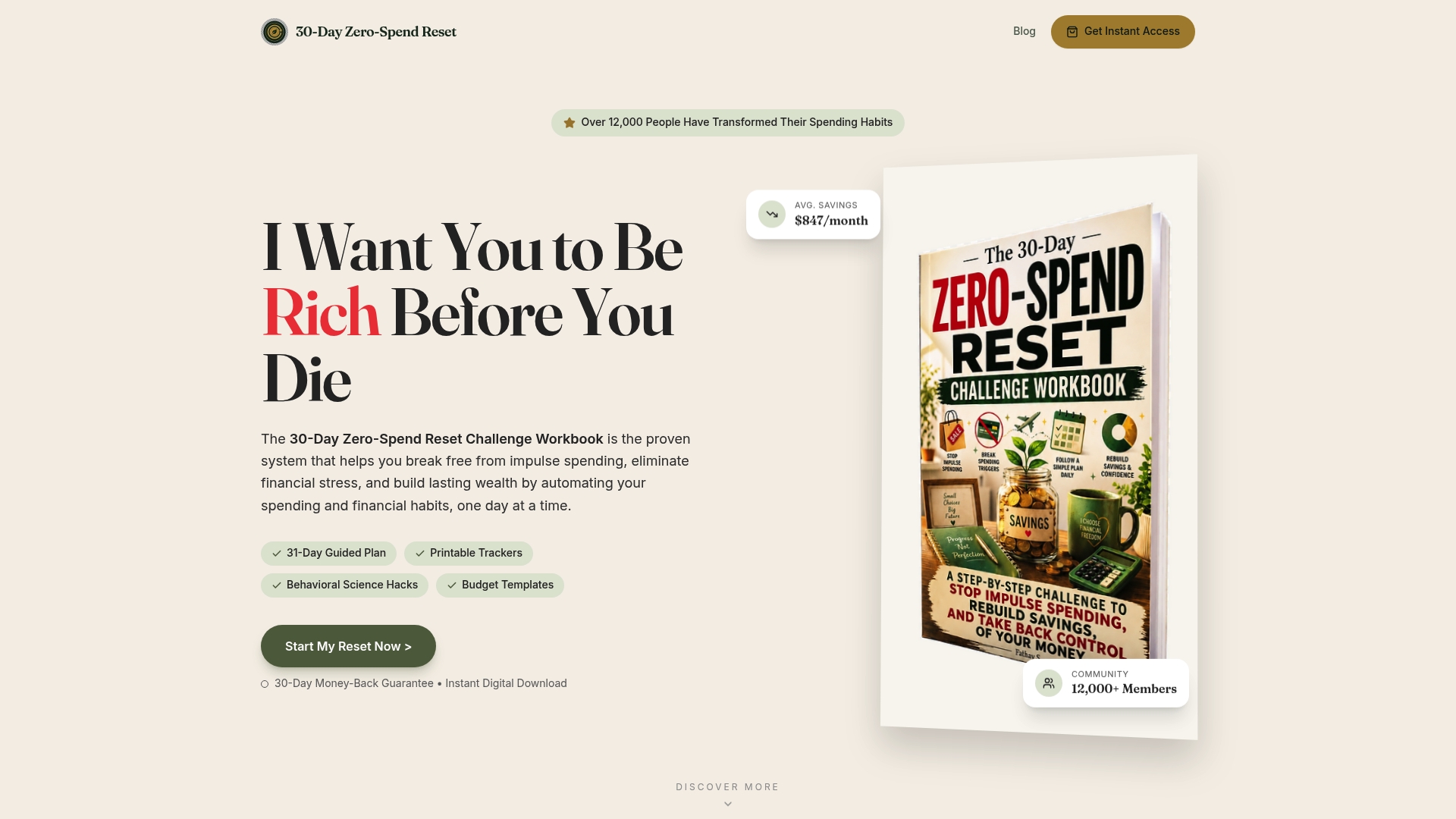
You can start with the 30-Day Zero-Spend Reset Challenge Workbook, see how the companion webapp works, or read the Zero Spend guide first. If you want extra tools, the Zero-Spend Accelerator Vault is also available.
A one-week alert routine
Setting the alerts is the easy part. This routine keeps them useful.
- Day 1: Turn on card-use, low-balance, large-purchase and bill-due alerts. Make a small purchase to check delivery.
- Days 2 to 4: For every alert, write down the purchase, the amount and whether it was planned. Do not judge. Just record.
- Day 5: Look at the list. Which purchases surprised you? Which charges were recurring? Cancel one subscription you do not use.
- Day 6: Raise or lower thresholds so alerts fire about once or twice a day, not constantly.
- Day 7: Set one transfer rule, such as moving a fixed amount to savings or debt on deposit day, and keep the direct-deposit alert as the reminder.
After a week you will know which alerts you ignore and which ones change what you do. Keep the second group.
FAQ
Which bank alerts should I set up first?
Start with a card-use alert, a low-balance alert, a large-purchase alert and a bill-due reminder. Together they cover overspending, overdraft risk and missed payments. Add direct-deposit and unusual-activity alerts once those four feel manageable.
Do all banks charge for text alerts?
The banks in our research, including Wells Fargo, PNC and City National Bank, say they do not charge for alerts, but your mobile carrier's message and data rates may apply. Check your own bank's alert terms and your phone plan. Push notifications avoid text charges entirely.
How can I tell if a bank message is real?
A real fraud alert typically comes from a short code, asks only for a YES or NO reply and never asks for a password, PIN or one-time code. If anything feels off, do not tap the link. Call the number printed on the back of your card or open your bank's app directly.
How do I stop receiving bank alerts?
Turn individual alerts off in your bank's app or website alert settings. If you reply STOP to a text, check what your bank's STOP options do first, since some stop all texts, including fraud alerts. Keep security and fraud alerts on.
Can alerts replace a budget?
No. Alerts tell you when something happens, and a budget tells you what should happen. Use the budget to set your limits, then use the alerts to tell you when you are close to them.
Sources
- 6 Essential Banking Alerts and How to Set Them Up (Citi)
- Managing your checking account (CFPB)
- Avoiding checking account fees tool (CFPB)
- Credit Card Alerts: What To Look Out For (Chase)
- Account Alerts (Chase)
- 7 Account Alerts You Should Set Up (BECU)
- Protect Your Money With Account Alerts (Minster Bank)
- Spending Alerts (Northwest Bank)
- Credit Card Alert Questions (Wells Fargo)
- OCC and FDIC Issue Guidance on Overdraft Fees
- Text and Email Alerts (PNC)
- SMS Terms and Conditions (City National Bank)
- Recurring Payments and How to Cancel Them (American Express)
- CFPB panel presentation on app notifications and repayment
- CFPB working paper on labeling debt as ordinary or exceptional
- Fraud Alert Text Messages: Scam Warning (Scott Credit Union)
- How do I add or remove account alerts? (U.S. Bank)
Ready to reset your spending?
Get the 30-Day Zero-Spend Reset Workbook and turn these ideas into a daily action plan.
Start the 30-Day ResetThis article is part of the 30-Day Zero-Spend Reset method. Explore the complete day-by-day system behind these ideas.
Read the full guideKeep reading


Join the conversation
Be the first to share your thoughts on this article.