
How to Conduct a Digital Subscription Audit to Stop Recurring Charges
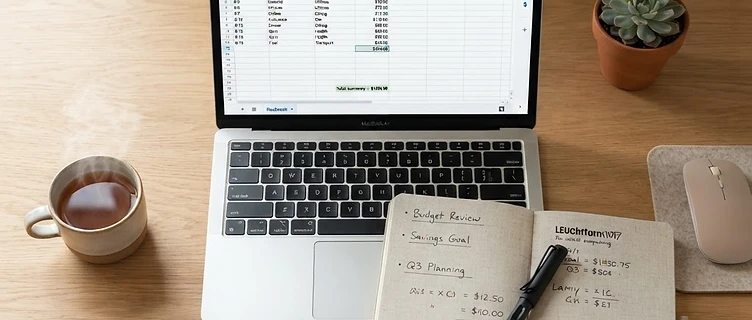
Stop the silent drain on your bank account. Learn how to conduct a digital subscription audit to stop recurring charges and reclaim your hard-earned money.
The Silent Drain on Your Finances
If you feel like your bank account is leaking money, you are not alone. Many people underestimate their monthly subscription spending by hundreds of dollars because individual charges often seem small and harmless. Learning how to conduct a digital subscription audit to stop recurring charges is one of the most effective ways to reclaim your financial power. When you automate payments for streaming services, cloud storage, fitness apps, and newsletters, those charges quickly become invisible. Over time, these forgotten expenses accumulate, creating a significant barrier to your savings goals.
Step 1: Gather Your Financial Evidence
To perform a thorough audit, you need to look beyond your primary checking account. Recurring charges hide in various corners of your digital life. Start by downloading the last 12 months of statements for all your credit cards and bank accounts. Why 12 months? Because some subscriptions only renew annually. If you only check the last 30 days, you will miss those large, once-a-year hits that catch you off guard.
Do not stop at bank statements. You must also check:
- App Store Purchase History: Review your Apple ID or Google Play subscriptions, as these often bypass traditional bank statement descriptions.
- Digital Wallets: Check PayPal, Venmo, and Cash App for recurring merchant authorizations.
- Email Inboxes: Search for keywords like "renewal," "subscription," "invoice," or "receipt" to find services that might not be obvious on your statements.
Step 2: Create Your Master List
Once you have your data, create a simple spreadsheet. List every recurring charge you find, including the service name, the cost, the billing frequency (monthly, quarterly, or annually), and the payment method. If you are struggling to organize your spending, you might find it helpful to identify emotional spending triggers in bank statements for beginners to see if your subscriptions are tied to impulsive habits.
Group these items by category: Entertainment, Technology, Lifestyle, and Shopping. Seeing the total annual cost of each category is often the wake-up call needed to take action. If you find yourself overwhelmed by the sheer volume of expenses, remember that you can always overcome the shame of financial setbacks after a spending binge by focusing on the progress you are making today.
Step 3: Evaluate and Eliminate
Now, look at your list with a critical eye. For every single subscription, ask yourself these three questions:
- Have I used this service in the last 30 days?
- Does this service provide value that exceeds its cost?
- Is there a free or cheaper alternative available?
If the answer is no, cancel it immediately. Do not wait for the end of the billing cycle if you are worried about forgetting later. For services you decide to keep, check if you can downgrade to a cheaper tier or switch from monthly to annual billing to save money. If you are currently in a period of intense financial focus, you might also want to review the complete zero-spend reset method to further accelerate your savings.
Step 4: Build Guardrails for the Future
Auditing your subscriptions once is a great start, but it is not a permanent fix. To prevent "subscription creep" from returning, set a recurring calendar reminder every three months to perform a quick 15-minute review. During this check-in, look for new charges, price increases, or free trials that have converted into paid plans.
Additionally, be wary of "free trials" that require a credit card. If you must sign up for one, set a reminder on your phone for two days before the trial ends so you can cancel before the first charge hits. Treat your subscription budget with the same level of scrutiny you apply to your grocery or utility bills.
Key Takeaways
- Review at least 12 months of bank and credit card statements to catch annual renewals.
- Check app store histories and digital wallets, as these are often overlooked.
- Use a spreadsheet to calculate the total annual cost of every subscription.
- Evaluate each service based on actual usage, not potential value.
- Set a quarterly calendar reminder to repeat this audit and prevent future bloat.
If you are ready to take control of your finances beyond just your subscriptions, our 30-Day Zero-Spend Reset workbook provides a structured, step-by-step path to help you break impulse spending habits and build lasting savings.
Ready to reset your spending?
Get the 30-Day Zero-Spend Reset Workbook and turn these ideas into a daily action plan.
Start the 30-Day ResetFrequently asked questions
This article is part of the 30-Day Zero-Spend Reset method. Explore the complete day-by-day system behind these ideas.
Read the full guideKeep reading






Join the conversation
Be the first to share your thoughts on this article.